Connect Wireless Sensor Installation Success Guide
Download the printer-friendly pdf version of the Connect Wireless Sensor Installation Success Guide
Use this guide to plan the CTC Connect Wireless environment first, then configure, install, power, and validate the system:
|
PHASE 1 - PLAN THE DEPLOYMENT |
|
|
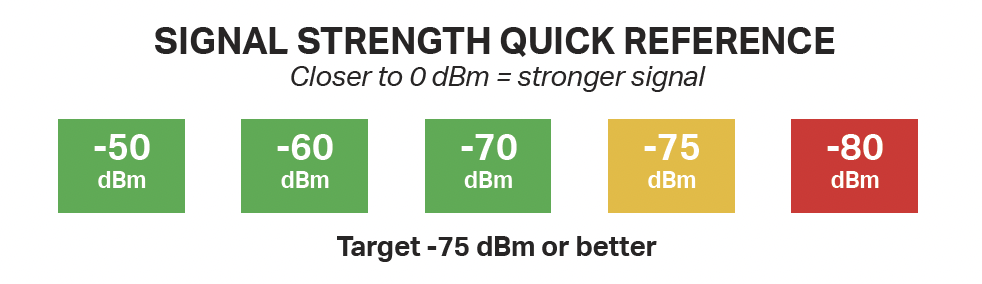
1. SURVEY BLUETOOTH COVERAGE Perform a Bluetooth site survey (heat map). Evaluate desired sensor locations, signal strength, noise floor, metal obstructions, and ambient EMI / RFI. Use the survey to determine the best Connect Wireless Gateway locations. |
 |
|
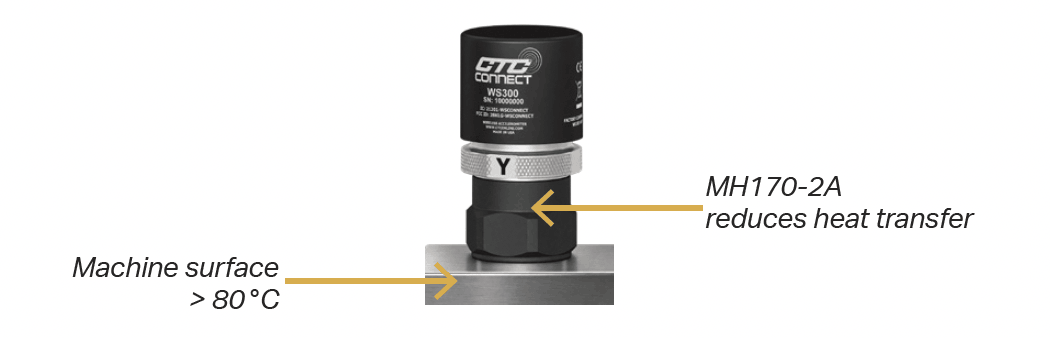
2. PLAN THE ENVIRONMENT Confirm machine surface and ambient temperatures. CTC WS Series ConnectSens Wireless Sensors: -40 to 80 °C (-40 to 176 °F). ACCESS2000: -40 to 65 °C (-40 to 149 °F). If the machine surface exceeds 80 °C but ambient conditions remain within the sensor range, use the CTC MH170-2A Heat Isolation Mounting Pad. |
 |
|
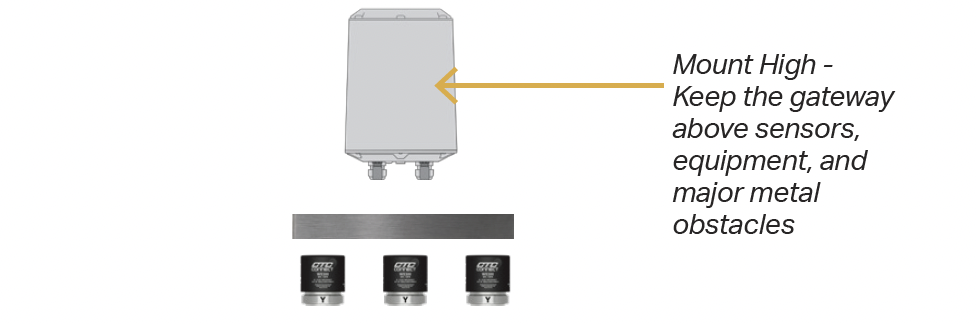
3. DESIGN COVERAGE AND PLACEMENT Plan for 30 sensors or fewer per gateway and -75 dBm or better. Add gateways in challenging coverage areas and plan to amount gateways high above monitored equipment. For heavy metal saturation, obstacles, or high ambient EMI / RFI, consider the CTC ANTENNA-2000 External Antenna. |
 |
|
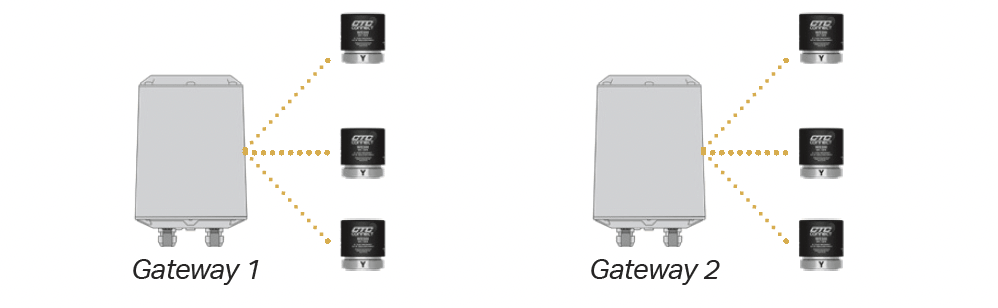
4. MAP AND PLAN CONFIGURATION Create a logical map showing gateway and sensor locations and catalog site photos. Determine each gateway’s allowed and blocked sensor lists before deployment. |
 |
Planning Complete —> Configure —> Install
|
PHASE 2 - DEPLOY AND VALIDATE |
|
|
5. CONFIGURE BEFORE MOUNTING Apply the planned allowed / blocked sensor list before mounting. In multi-gateway environments, allow desired sensors to block all other sensors in that environments on each gateway to reduce sensor hopping. |
|
|
6. MOUNT THE GATEWAY Mount the configured Connect Wireless Gateway well above monitored equipment to minimize line-of-sight obstacles between the gateway and the CTC WS Series Wireless Sensors. |
|
|
7. POWER ON AND VALIDATE Power on CTC WS Series Wireless Sensors only after the gateway configuration is complete. Confirm each sensor connects to its intended gateway and verify signal strength is -75 dBm or better. |
 |
|
8. FINALIZE DOCUMENTATION Update the logical deployment map and catalog final photos of gateway placement, sensor locations, and the surrounding environment for future maintenance and support. |
|