Multi-Gateway Deployment Architecture
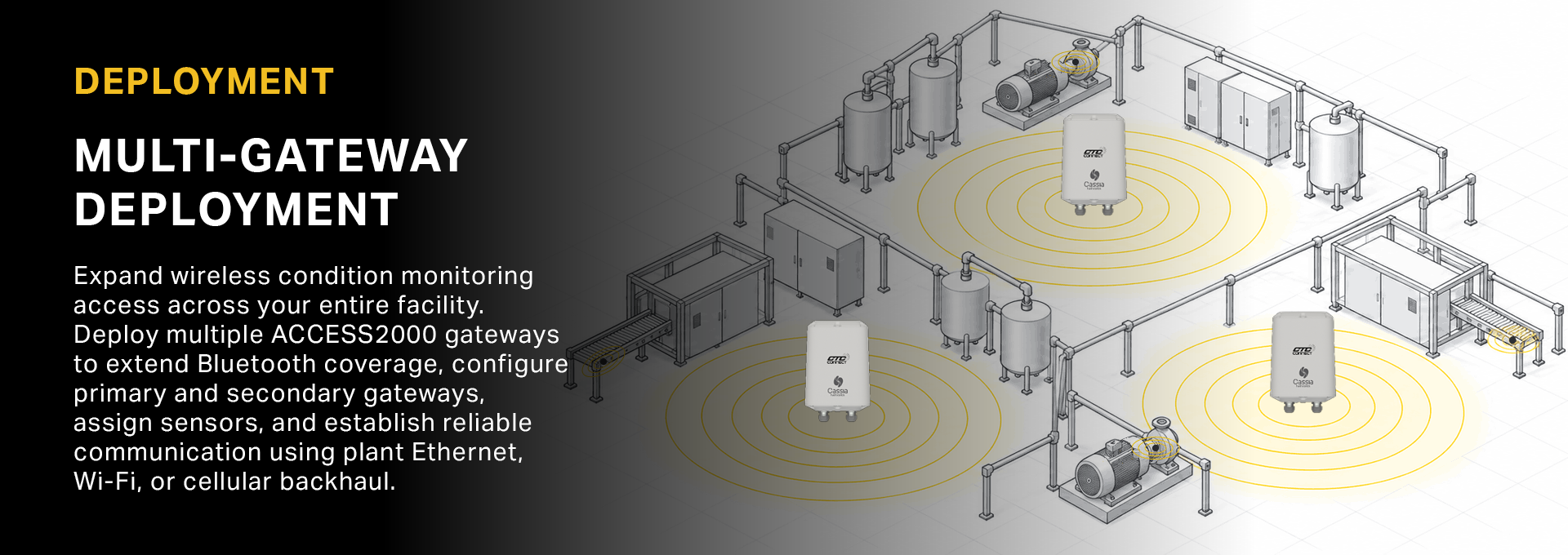
HOW MULTI-GATEWAY DEPLOYMENTS WORK
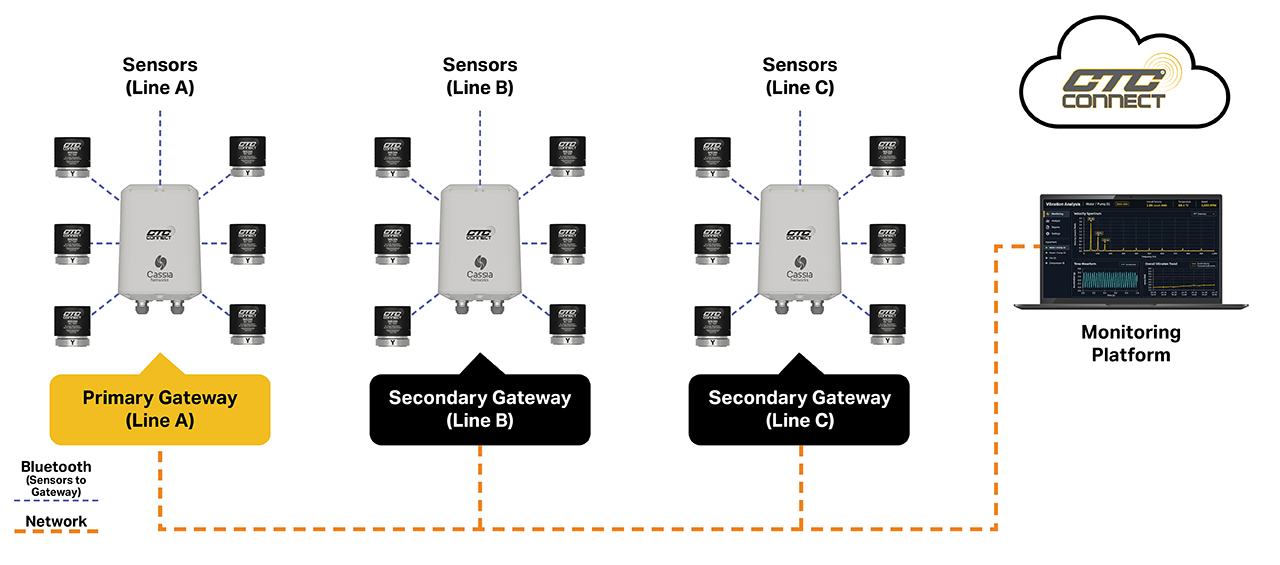
Each ACCESS2000 gateway collects vibration data from nearby CTC Connect wireless sensors over Bluetooth.
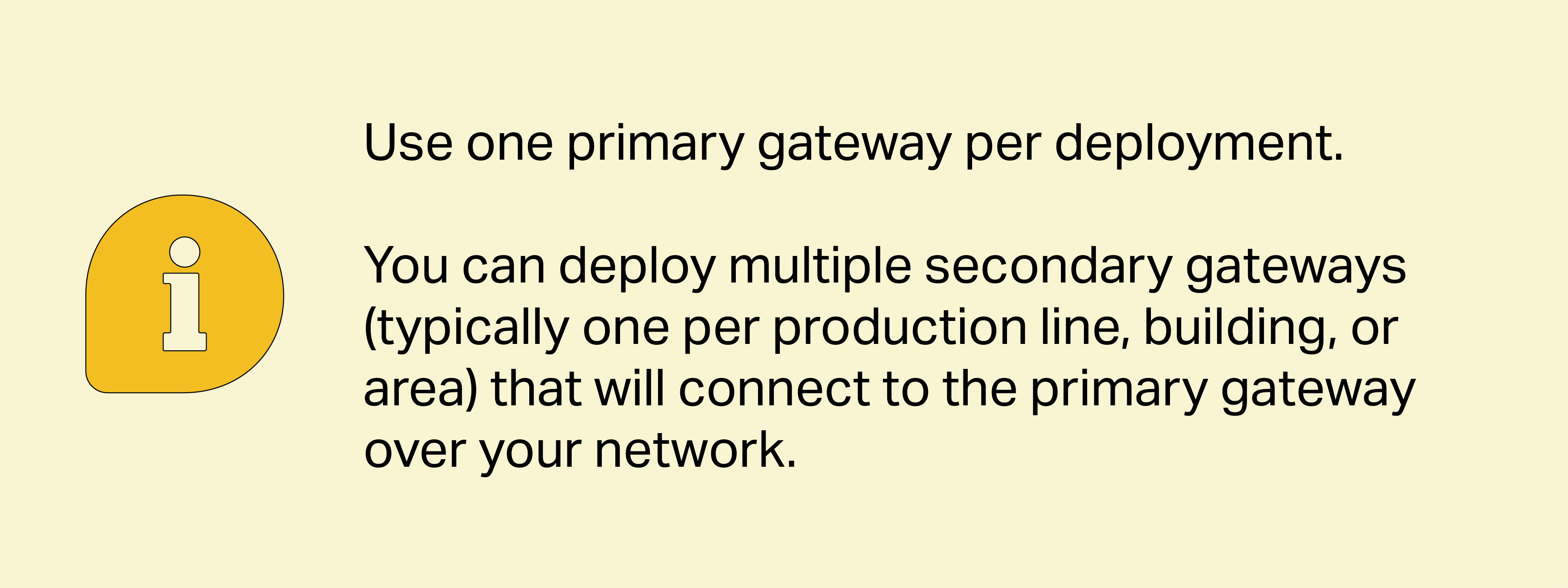
In multi-gateway deployment, one gateway is configured as the Primary gateway, and additional gateways are configured as Secondary gateways.
Secondary gateways forward their collected sensor data to the primary gateway, and the primary gateway send the data to your monitoring platform.
PLAN YOUR MULTI-GATEWAY INSTALLATION
 |
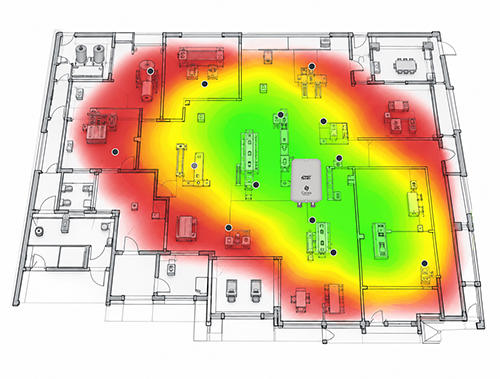
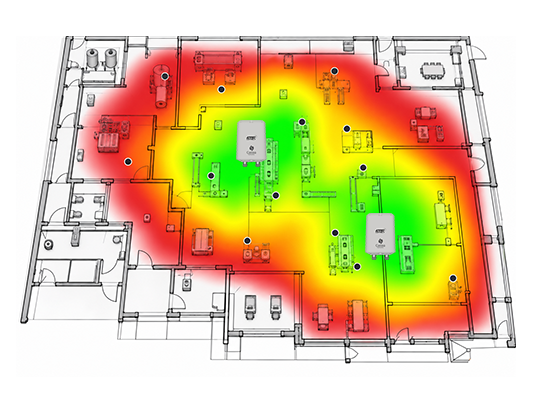
PERFORM BLUETOOTH HEAT MAPPING Survey each area to measure signal strength and identify optimal gateway locations. Account for obstructions such as equipment, steel structures, and electrical cabinets. |
 |
DIVIDE THE FACILITY INTO GATEWAY ZONES Group sensors by physical location, signal quality, and expected capacity. Plan for 30 sensors or fewer per gateway (depending on RF conditions). |
 |
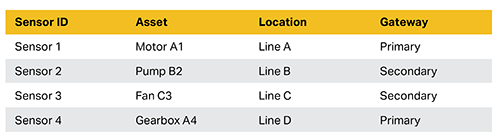
CREATE A SENSOR ASSIGNMENT SCHEDULE Document each sensor's identifier, asset, location, and assigned gateway. Use this schedule to configure Allow / Deny lists. |
PRIMARY & SECONDARY GATEWAY CONFIGURATION
|
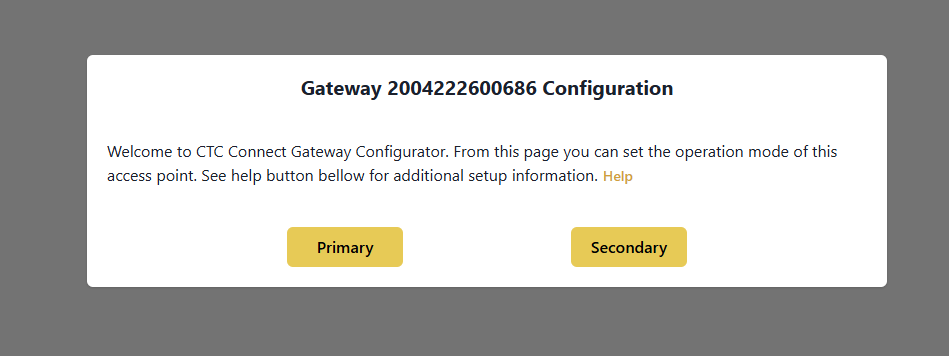
CONFIGURE THE PRIMARY GATEWAY Connect to the gateway interface by using its IP address: XXX.XXX.XXX.XXX. Select Primary and record the IP address. Use a static or reserved IP address. |
|
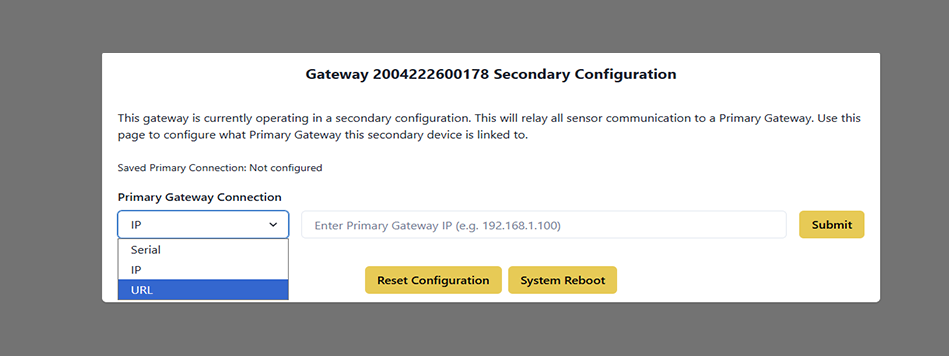
CONFIGURE EACH SECONDARY GATEWAY Select Secondary. Under Primary Gateway Connection, choose IP and enter the primary gateway's IP address. Repeat for each additional secondary gateway. |
|
UNDERSTANDING SECONDARY GATEWAY There can be multiple secondary gateways in a deployment. Each secondary gateway connects the same primary gateway and sends its collected sensor data to the primary. Secondary gateways do not communication directly with each other. |
CONFIGURE SENSOR ALLOW / DENY LISTS
When Bluetooth coverage overlaps, a sensor may be detectable by multiple gateways.
Use Allow / Deny lists to ensure each sensor connects to its intended gateway and to prevent unwanted sensor switching. Configure the lists before powering on sensors.
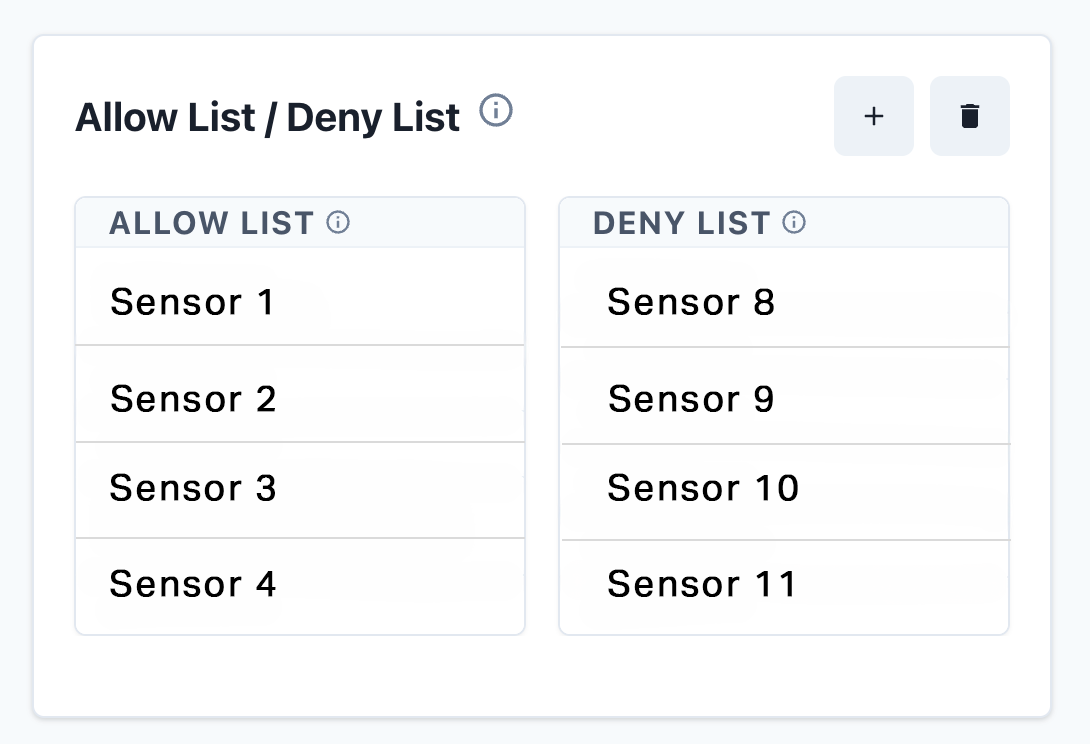
Recommended Configuration Sequence
 |
Identify all sensors for each gateway |
 |
Record sensor IDs in your deployment schedule |
 |
Configure Allowed and Denied lists on each gateway |
 |
Save and verify the configuration |
 |
Power on sensors after gateways are configured |
 |
Confirm each sensor connects to the correct gateway |