Single Gateway Deployment Architecture
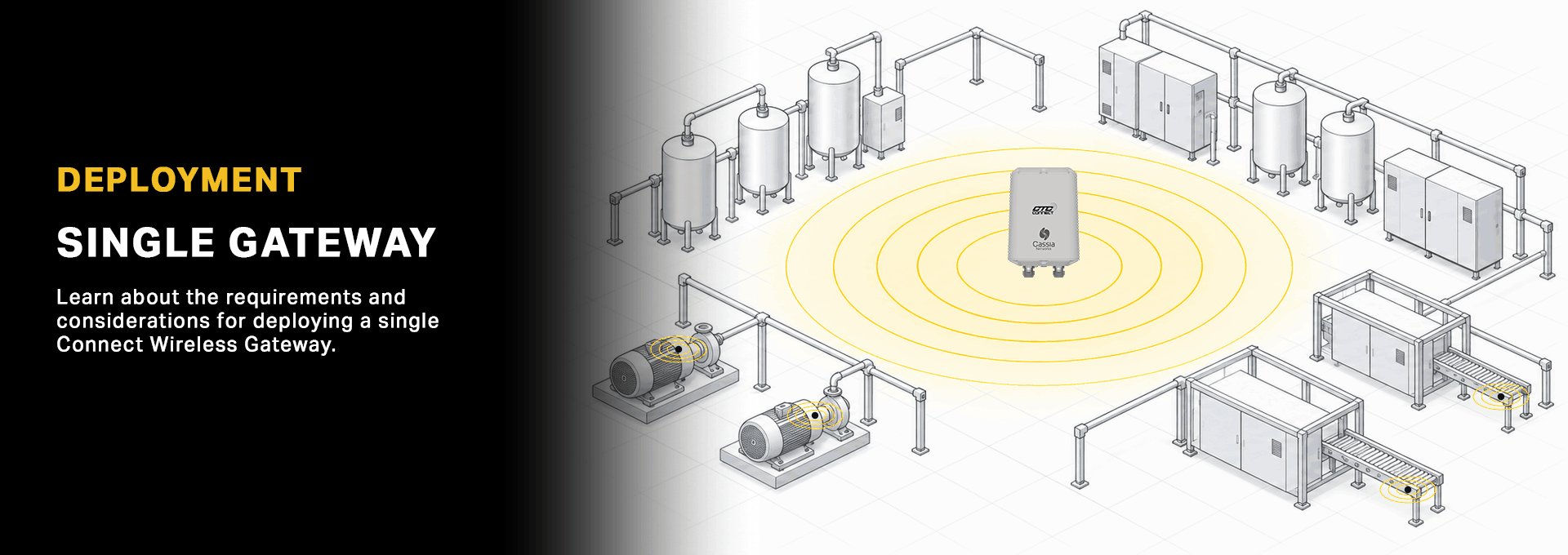
ABOUT SIGNAL STRENGTH

SIGNAL QUALITY FIRST
Good wireless systems are not built by maximizing gateway capacity, they are built by maximizing signal quality.
An ACCESS2000 Gateway can support up to 30 wireless sensors under ideal conditions. Signal quality depends on distance, obstructions, and the environment. Design for strong signal strength to ensure reliable performance.
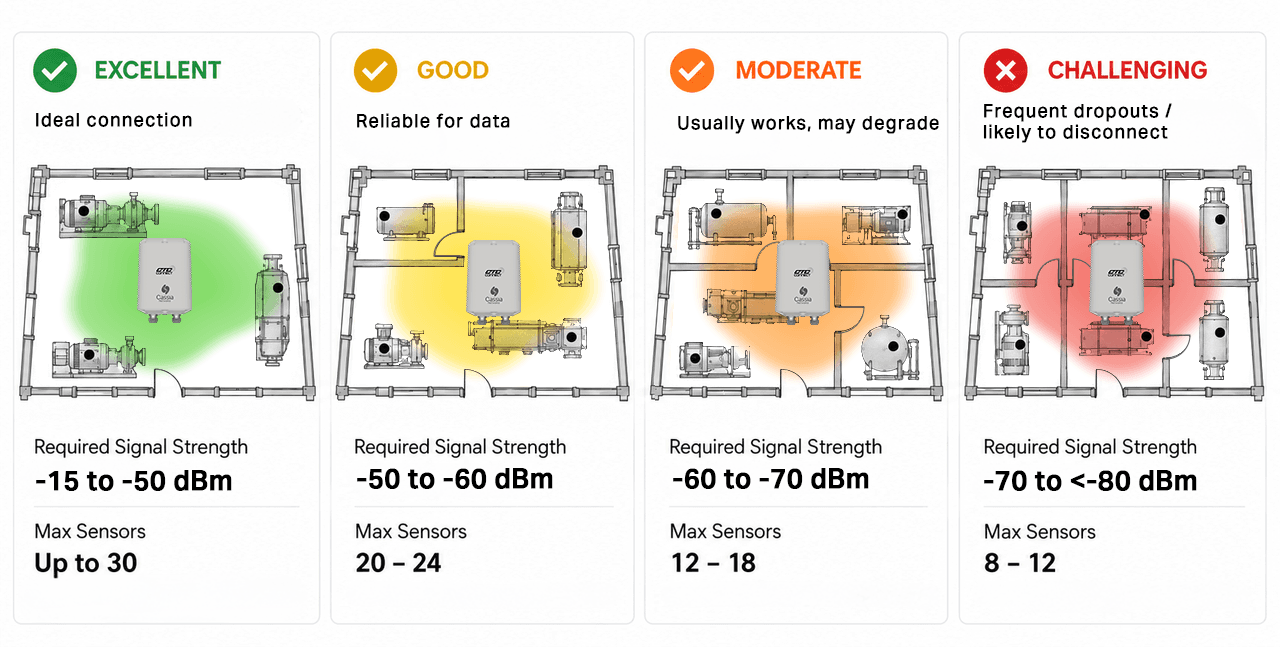
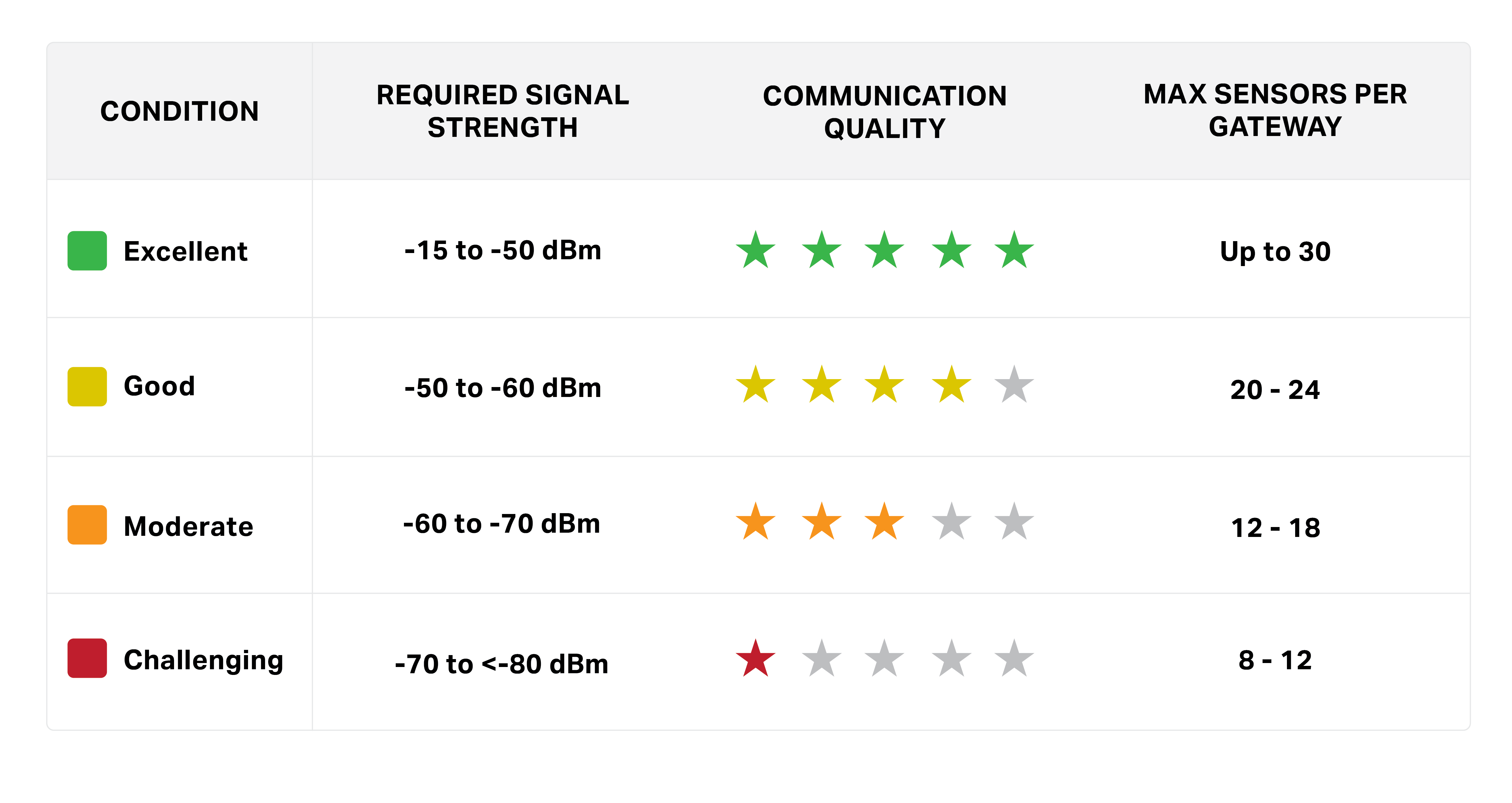
HOW SIGNAL STRENGTH AFFECTS CAPACITY
As signal strength decreases, communication reliability is impacted and the number of sensors that can be supported by a single gateway should be reduced. The ACCESS2000 supports a maximum of 30 simultaneous wireless sensor signals.
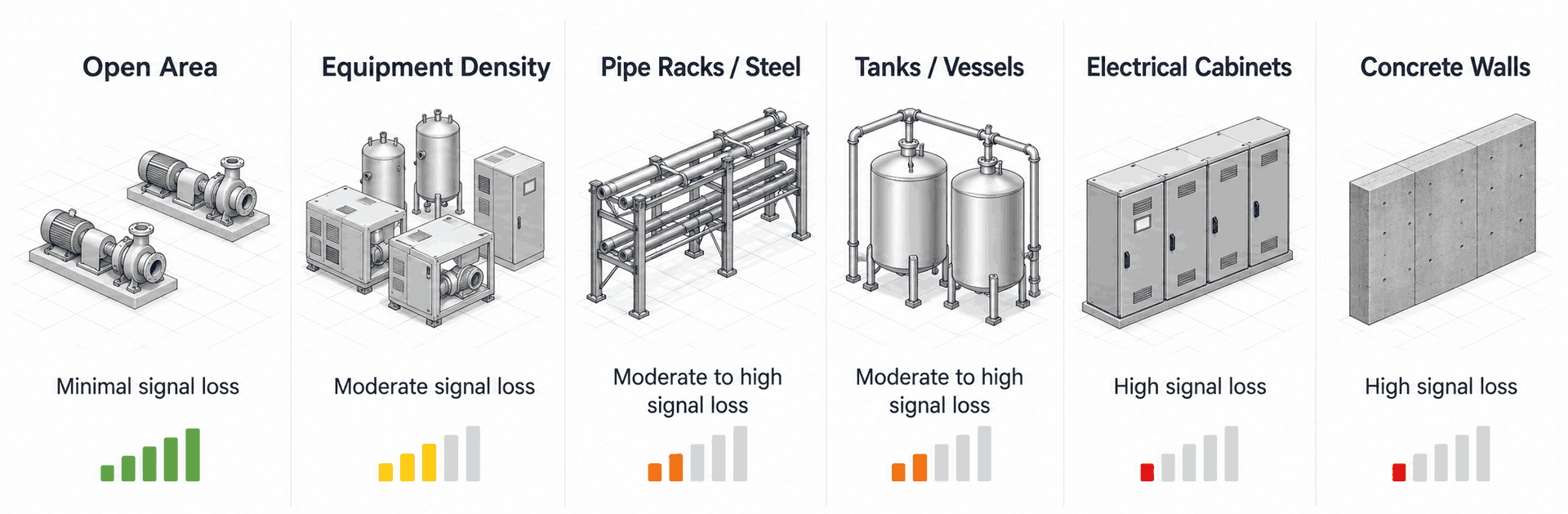
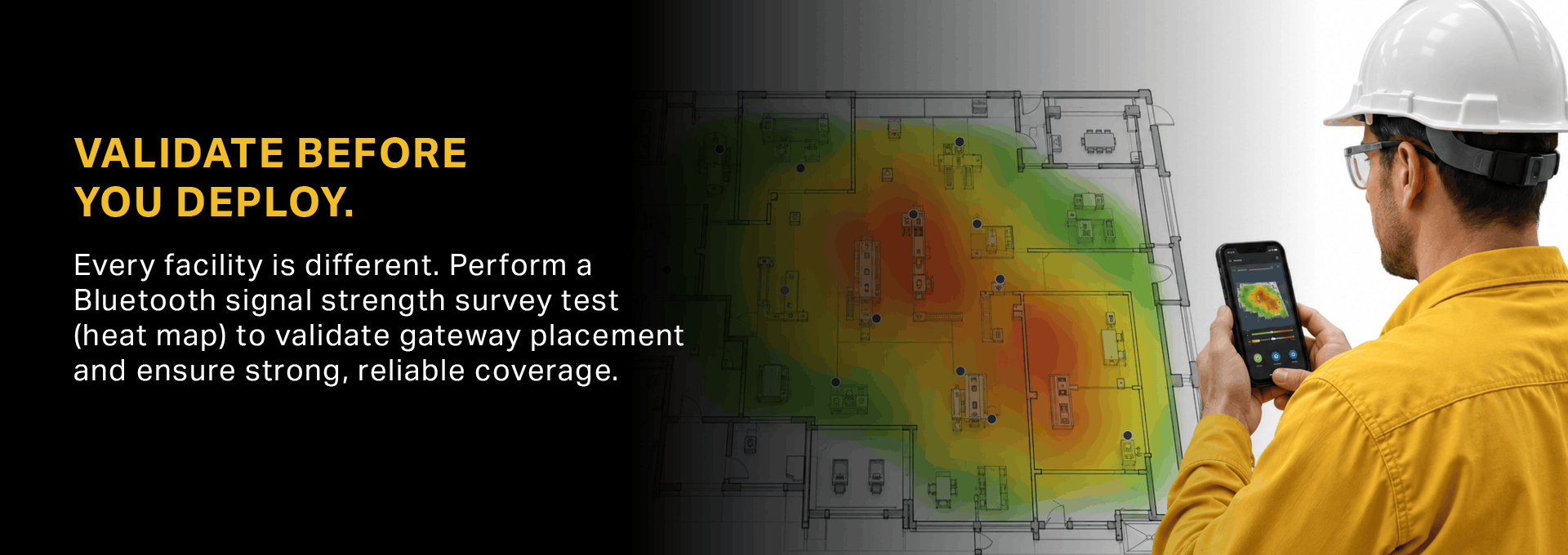
ENVIRONMENTAL FACTORS IMPACTING SIGNAL STRENGTH
INSTALLATION
FAQs
What happens if my Connect Wireless Gateway gets damaged?
If your gateway gets damaged, it may stop receiving sensor data. However, all ConnectSens™ Wireless Sensors will retain their configuration, including settings, serial numbers, and reading intervals.
How many readings can a Connect Wireless Gateway store if it is not connected to a network?
ConnectBridge™ ACCESS360 Wireless Gateways come preinstalled with a 32 GB SD card (removable and expandable) which can store thousands of readings when not connected to a network.
ACCESS2000 Long-Range Wireless Gateways come with 64 GB of preinstalled storage which can store thousands of readings when not connected to a network.
Please note, you cannot interact with the gateway while it is not on the network.
Are there any areas or environments where I should NOT mount Connect Wireless Gateways?
DO NOT mount gateways inside of a metal enclosure.
Metal enclosures will significantly attenuate RF signals and can severely degrade wireless performance, range, and reliability.
Mounting gateways inside a non-metallic enclosure is also not recommended.
The impact on signal strength and overall system performance is unknown and may vary based on enclosure material, thickness, size, and internal layout. Performance degradation is especially likely if additional electronics or hardware are installed inside the enclosure alongside the gateway.
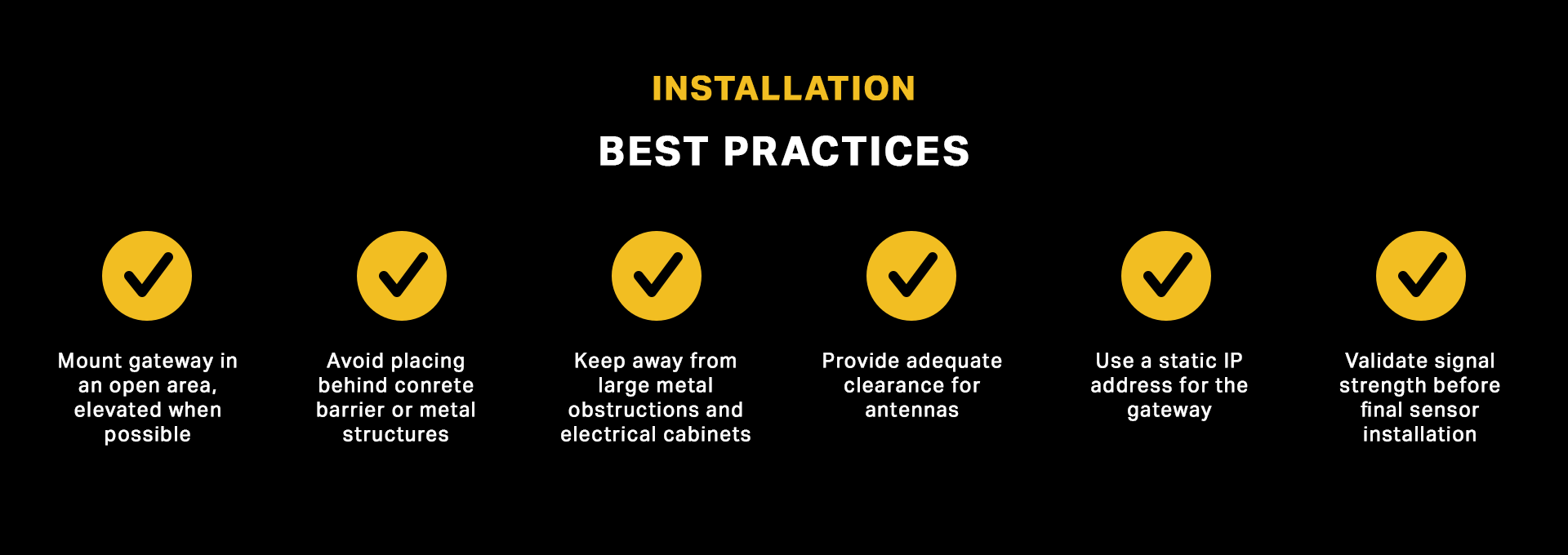
For optimal performance, the gateway should be mounted in an open environment with a clear RF path to the sensors.
Is there a limit to the number of secondary Connect Wireless Gateways that can communicate with the primary gateway?
No, there is no limit.